Main menu
The main interface keeps website projects, download settings and browsing tools in one place.

 Offline Downloader
Install Chrome Extension
Offline Downloader
Install Chrome Extension
Review the program interface, project options, progress panel and filters used to create local website archives for offline browsing.
These screenshots show the classic desktop interface, project workflow, download panel, online and offline preview and filtering options.
The main interface keeps website projects, download settings and browsing tools in one place.
The lower panel shows the pages and files that are being downloaded from the selected website.

You can view pages while the program continues downloading other documents in the background.

Default project options define how pages, links and site resources are saved for local browsing.

Use program options to specify which file types should be downloaded and how large they may be.

Limit downloads by directories, domain names, file names and domain types to keep each archive focused.

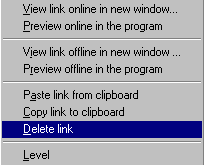
Delete unnecessary links from the site structure or copy selected links to the clipboard when preparing a project.
Save selected websites, pages, images and linked files for offline use directly from your browser.